 모닥위키
모닥위키변경점 비교
CheapGPT
변경전: 2025. 12. 06. 22:58:56 (luasenvy (luasenvy))
변경후: 2025. 12. 06. 23:00:14 (luasenvy (luasenvy))
## Introdution
> ChatGPT is very powerful, but the daily signing in and digging through chat logs has been exhausting me.
> This is gradually lowering my usage rate and making the monthly subscription fee feel more wasteful.
*[CheapGPT](https://chromewebstore.google.com/detail/cheapgpt/paoppamnaiaeopmfegnpiploogjnphcn) is more convenient and cost-effective way to use the GPT model.*
## Benefits
- **open and use** - You DON'T NEED Many steps for something to do with GPT Models
- **save your cost** - You DON'T NEED Pay when you are not use GPT Models
- **clean desktop** - You DON'T NEED Clutter the desktop with another applications.
## Getting Started
### Configure API KEY
! 'API Key' is saved with chrome
! This setting is saved using the [chrome.storage.sync](https://developer.chrome.com/docs/extensions/reference/api/storage#property-sync) API.
! This API saves the API key to your Google account if you are signed into Chrome, but if not, it saves it to the computer.
!!! DO NOT USE ON PUBLIC COMPUTER
!!! Using a public computer risks others incurring charges to your account, regardless of whether you are signed into your Google account.
!!! If unavoidable, ensure you follow at least one of the instructions below immediately after use:
!!! - Please uninstall the Cheap GPT Chrome extension.
!!! - Make sure to log out of your Google account linked to the Chrome browser.
!!! - Alternatively, enter a random value for the "API Key" and save it.
!!! - Revoke the current api key from the service you utilize and request a new one.
CheapGPT is a client program that can call the OpenAI API. Therefore, an 'API KEY' that can be issued on the OpenAI API platform is required. You must obtain this key yourself.
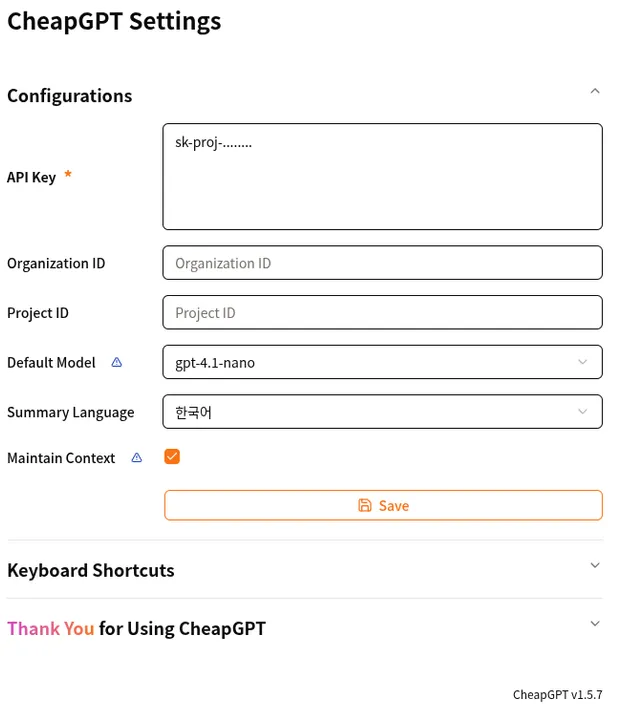
After obtaining the API KEY, right-click the CheapGPT icon, go to the 'Options', enter it in 'API Key', and save it. Now you are ready to use it.
### Basic Usage
In browser: `Ctrl + Shift + X` -> start chat
## Features
### Chat completions
@[HFESQYJg76Y]
You can use simply type and press `Enter`
### Maintain chat context
!!Check the cost
!!This feature may cost more. Please check [OpenAI API Pricing](https://platform.openai.com/docs/pricing)
!Chrome extensions limitation
!Messages exceeding 8kb will not be saved. because allow only 8k storage per field.
You can see [chrome.storage.sync property](https://developer.chrome.com/docs/extensions/reference/api/storage#storage_areas).
@[uA3zlmwPcvA]
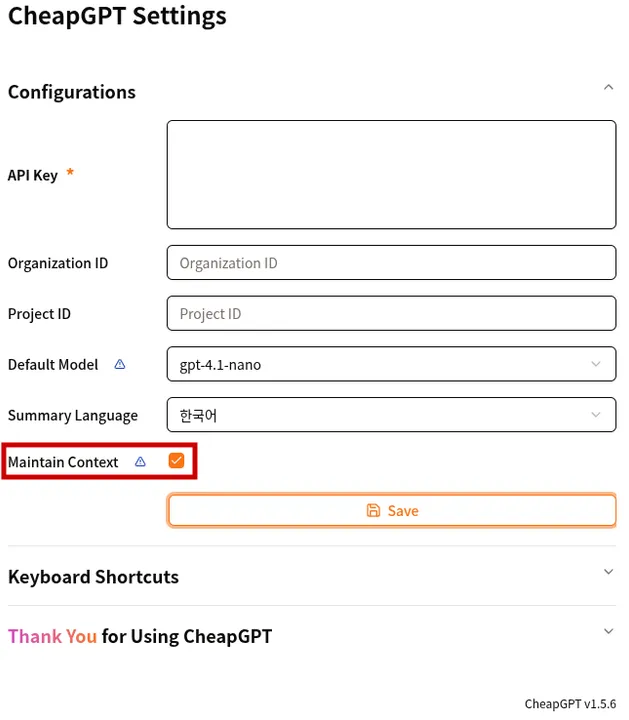
You can turn on 'Maintain Context' in the extension options to include up to 6 messages in your chat message. Maintaining context allows for a more natural conversation.
### Model Selection
!!Check the cost
!!This feature may cost more. Please check [OpenAI API Pricing](https://platform.openai.com/docs/pricing)
| in-panel | in-option |
|:--------:|:---------:|
|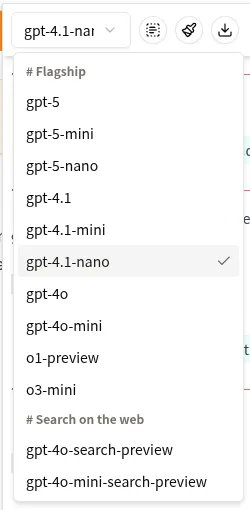|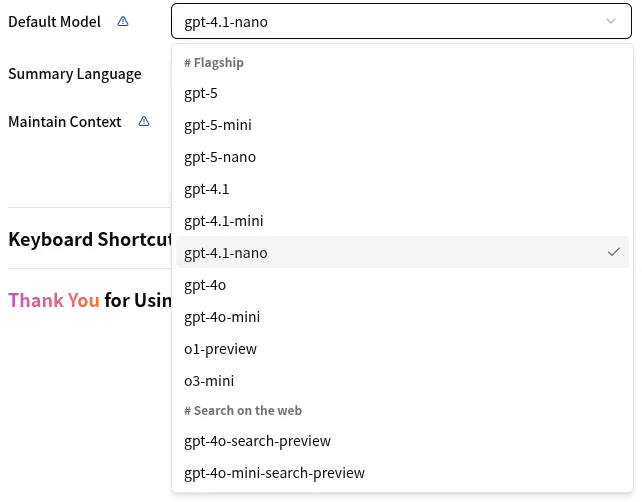|
The model set in the panel is initialized to the default value when the panel is closed. You can change the model set as the default value in the settings.
### Multiline input
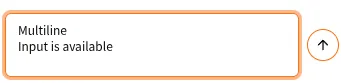
You can use multiple lines by pressing `shift + enter` in input area.
### Clipboard image (vision)
!!Check the cost
!!This feature may cost more. Please check [OpenAI API Pricing](https://platform.openai.com/docs/pricing)
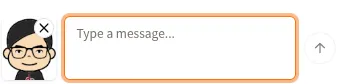
If you want to upload image from PC, just copy image file from explorer and paste to input. The OpenAI API provides a 'detail' option for processing images. You can choose between low and high, but CheapGPT uses the default value of 'auto'. You can find more details at [Specify image input detail level](https://platform.openai.com/docs/guides/images-vision#specify-image-input-detail-level).
### Keyboard shortcut
- `Ctrl + Shift + X`: Open panel
- `Ctrl + Shift + L`: Clear messages
- `Ctrl + Shift + F`: Summarize selection
- `Ctrl + Shift + Y`: Open dall-e request form
You can see keyboard shortcuts everytime in extension options page
### Summarize Selection
@[ZngEofihCEs]
You can easily request a summary of the current selection texts into 3 key points. summary response is not used in context messages.
### Generate Image
!!Check the cost
!!This feature may cost more. Please check [OpenAI API Pricing](https://platform.openai.com/docs/pricing)
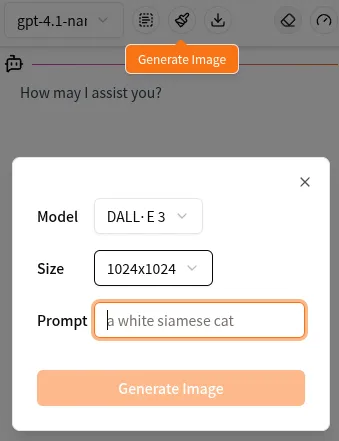
You can fill out the DALL-E form to request image generation. Messages are not retained, and the received images automatically save in your local machine or you can use a right-click menu. CheapGPT use 'auto' quality option.
### Support Google Gemini
!!Check the cost
!!This feature may cost more. Please check [Google Gemini API Pricing](https://ai.google.dev/gemini-api/docs/pricing)
Google Gemini can be [compatible](https://ai.google.dev/gemini-api/docs/openai) with the 'openai' package. By utilizing this, CheapGPT can support the use of Google Gemini API Keys. You can change the 'provider' option on the extension's 'options' page to configure the settings.
When set to Gemini, the selection window will change to allow you to choose between the `gemini-flash-latest` and `gemini-flash-lite-latest` models. Additionally, the image generation model will change to allow selection between `Imagen 3` or `Imagen 4`. However, perfect compatibility with the 'openai' package is not guaranteed, so images can only be generated at the 1024x1024 size.검색결과
Advertisement